
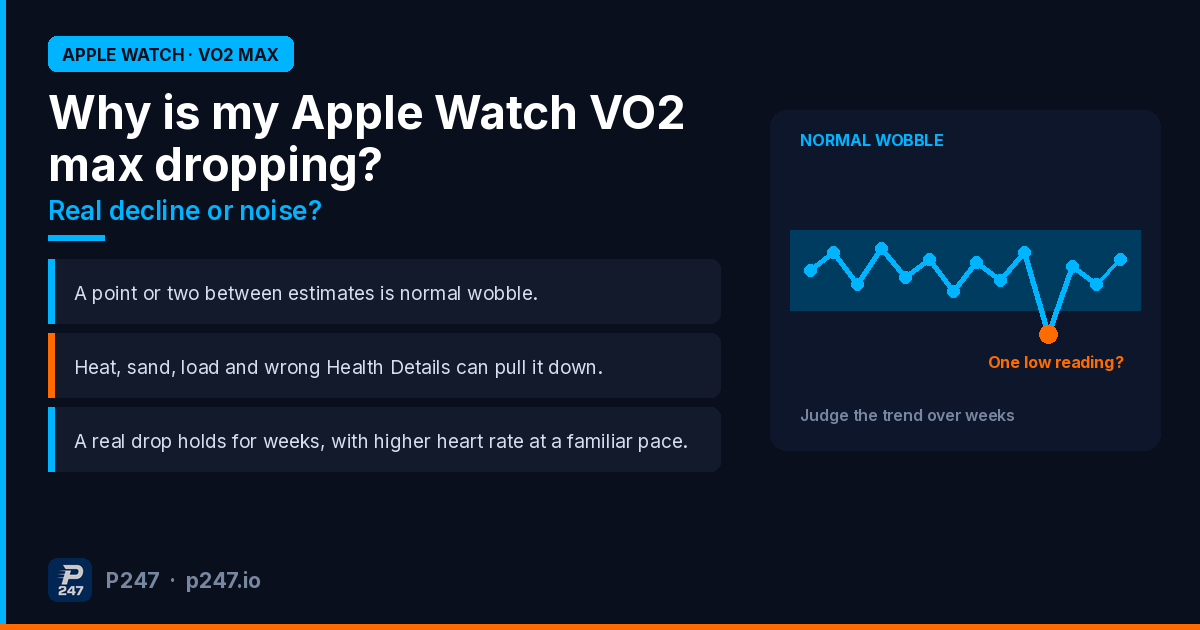
Most of the time, an Apple Watch VO2 max drop isn’t lost fitness. A point or two between estimates is within the normal wobble Apple itself reports. Hot runs, a heavy backpack, sand, and out-of-date Health Details can all pull the estimate down. A drop is worth taking seriously when it holds for several weeks, across several qualifying workouts done in similar conditions, and your heart rate at a familiar pace has gone up too.
I wear an Apple Watch and train for HYROX and a half-marathon, so I look at this number more often than I probably should. Here’s how I’d work out which kind of drop you’ve got. Every Apple claim below is linked, and where something is my opinion, I’ll say so.
This post is about drops and low readings. If your number has stopped updating altogether, that’s a different problem with its own fix list: Apple Watch VO2 max not updating or recording? How to fix it. If you want to know when and how a new estimate arrives, see How often does Apple Watch update VO2 max?.
Step one: how big is the drop?
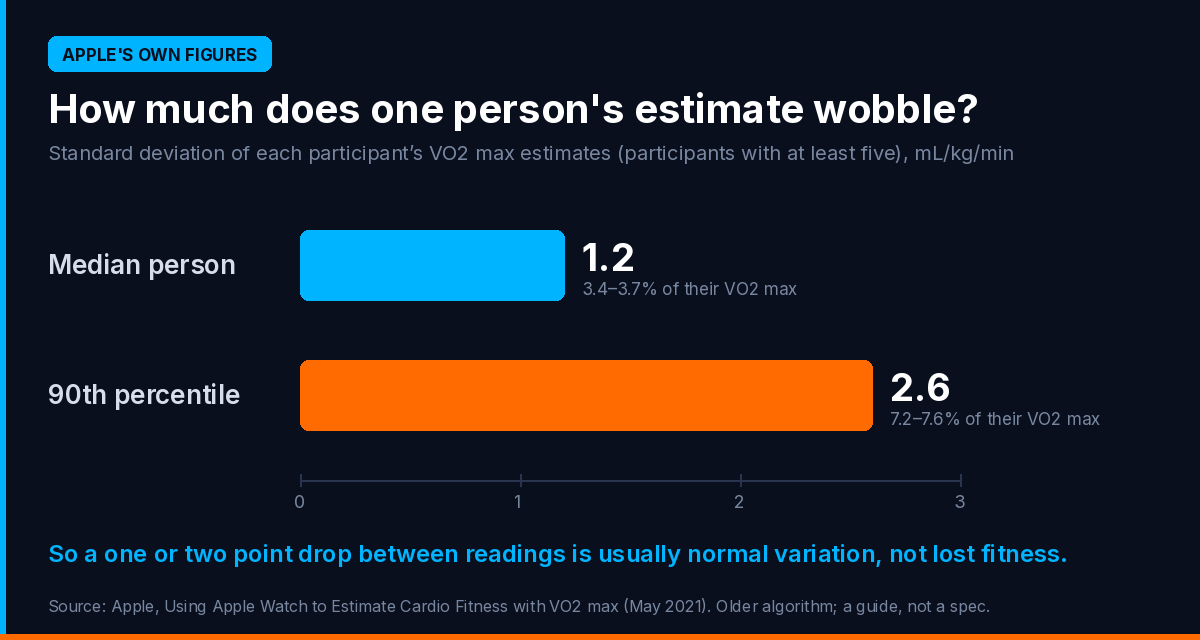
Apple’s technical paper, Using Apple Watch to Estimate Cardio Fitness with VO2 max, reports how much one person’s estimates moved around in its study. For participants with at least five estimates, the median spread (standard deviation) was 1.2 mL/kg/min, about 3.4 to 3.7 percent. For the most variable tenth of people, it was 2.6 mL/kg/min.
So for a typical person in that study, estimates bounced around their own average by about a point either way, and for some people by two or three. That’s a 2021 paper describing an older version of the algorithm, so treat it as a guide, not a spec. But it does tell you something: a one or two point drop between readings is what this estimate does on its own.
Before anything else, open Health, Browse, Heart, Cardio Fitness and switch from D or W to M, 6M or Y (Apple). One low dot against a flat six-month line is noise until proven otherwise. A line that has stepped down and stayed down is worth a closer look.
Step two: what were the workouts behind it?
Apple Watch only estimates VO2 max from Outdoor Walk, Outdoor Run and Hiking workouts in the Workout app. Indoor workouts don’t count (Apple). The estimate is built from how hard your heart works at a given effort, so anything that pushes your heart rate up without you getting less fit can drag it down.
Apple’s paper names these directly:
- Factors that raise heart rate, such as dehydration, caffeine, extreme heat or a recent move to high altitude, “may also lead to underestimates”.
- Extra work the watch can’t see, such as carrying a heavy backpack or a child, or walking or running on sand, can make individual estimates low. Pushing a pram or using an assistive device may reduce availability or accuracy.
- Ground that isn’t flat. The paper says estimates may be generated on relatively flat ground, a grade under 5 percent. Apple doesn’t say what a hilly route does to the number, so I’d simply keep your VO2 max workouts flat. That’s my caution, not Apple’s.
Now think about spring and summer in Australia. The first warm weeks, a run along the beach, a long walk with a loaded pack. Every one of those is a qualifying workout type, and every one of them touches something on Apple’s list: heat, sand or extra load. I’ve written separately about the first hot week of the season, because that’s when I see the most panic about falling numbers.
Then there’s what’s missing. If your week is HYROX sessions, sled work, treadmill intervals and long rides, none of that feeds Cardio Fitness. Your watch might be estimating your fitness from a couple of easy walks with the dog. Apple’s paper says accuracy improves with frequent outdoor pedestrian workouts and higher exertion, so a training block with fewer, easier qualifying sessions gives the watch a thinner, softer picture. That’s my reading of what Apple says, not something Apple spells out for training blocks.
Step three: check your Health Details
Apple says the estimate takes into account your age, sex, weight, height and medications that might affect your heart rate (Apple). The paper goes further: users with an incorrect age, sex or weight in the Health app “may have consistently inaccurate VO2 max estimates”.
Update them in Health: tap your profile picture, then Health Details, then Edit (Apple).
Medication is the one people miss. Apple says conditions or medications that limit your heart rate can cause an overestimate. Its paper says that users on heart rate-limiting medications such as beta blockers or calcium channel blockers who don’t enter it in Health Details “will receive higher-than-actual estimates”, and that entering it made estimates much more accurate in its validation group. So if you’ve recently added one of those medications to Health Details, a lower number afterwards may be the estimate getting more honest, not you getting less fit. That last part is my inference from Apple’s description. If you’ve started, stopped or changed a heart medication, talk to your doctor about what your numbers mean, not just your watch.
Step four: did Apple revise your history?
This one catches people out. Apple says that if the Health app detects your earlier estimates could be more accurate, you’ll see an option to tap Update under Update Your Data in Cardio Fitness. After you update, a Cardio Fitness Data Updated notification shows how your estimates changed (Apple).
In other words, your past numbers can be recalculated. If you tapped Update recently and your chart looks different, that’s why. I’d judge the trend from the revised line, not compare it with a screenshot from before the update.
Step five: test it yourself
If the drop is bigger than normal wobble, it has held for weeks, and none of the above explains it, it may be real. Fitness does fall: a few weeks off, an illness, or a block that swapped running for strength work can do it. Apple says most people can improve VO2 max by increasing the intensity and frequency of their cardio exercise (Apple).
The simplest check I know doesn’t need a new VO2 max estimate at all. This is my method, not Apple’s:
- Pick a flat route you know well.
- Run it at a pace you’ve run it at before, in similar weather and at a similar time of day.
- Compare your average heart rate with the same run from a month or two ago.
If your heart rate for the same pace has crept up, and it isn’t just a hot day, your aerobic fitness probably has dipped. If your heart rate at that pace is the same or lower, I’d trust that over a falling estimate.
And if a drop comes with breathlessness, chest pain, dizziness or unusual fatigue, stop reading blog posts and see a GP. Apple’s low Cardio Fitness notifications exist for a reason (Apple).
Why is my Apple Watch VO2 max so low?
A low number isn’t the same as a dropping one. If it has been low from the start, three things are worth knowing.
It may be underestimating you. A 2025 validation study in PLOS One compared Apple Watch with lab testing in 28 adults, most of them very fit. Apple Watch underestimated VO2 max by about 6 mL/kg/min on average, with a mean absolute percentage error of about 13 percent. The authors also point to an earlier study where Apple Watch tended to underestimate fitter people and overestimate less fit people. It’s one small study, mostly of younger, fit adults, so I wouldn’t stretch it too far. But if you’re a fit endurance athlete and the number looks low, you’re not alone.
Your inputs may be wrong. Wrong age, sex or weight in Health can make estimates consistently off, according to Apple’s paper.
Your qualifying workouts may be the wrong ones. If the watch only ever sees you on hot days or loaded walks, it’s estimating from your hardest conditions.
If you want a true number, a lab test with gas analysis is the way to get one. A watch estimate is for tracking your own trend.
Quick answers
Is a 2 point VO2 max drop on Apple Watch bad? On its own, probably not. Apple’s own figures show the median person’s estimates varied by about 1.2 mL/kg/min, and some people’s by 2.6. Look at the M or 6M view before reacting.
Can heat lower Apple Watch VO2 max? Apple’s paper lists extreme heat, dehydration, caffeine and recent altitude as factors that raise heart rate and may lead to underestimates.
Does weight affect Apple Watch VO2 max? Yes. Apple says weight is one of the inputs, and its paper says an incorrect weight in Health can make estimates consistently inaccurate. Carrying extra load, such as a heavy backpack, can also make individual estimates low.
Why did my VO2 max history change? If you tapped Update under Update Your Data in Cardio Fitness, Apple recalculates your earlier estimates and notifies you of the change.
Why did VO2 max disappear from Apple Health? That’s covered in the VO2 max update post.
The point
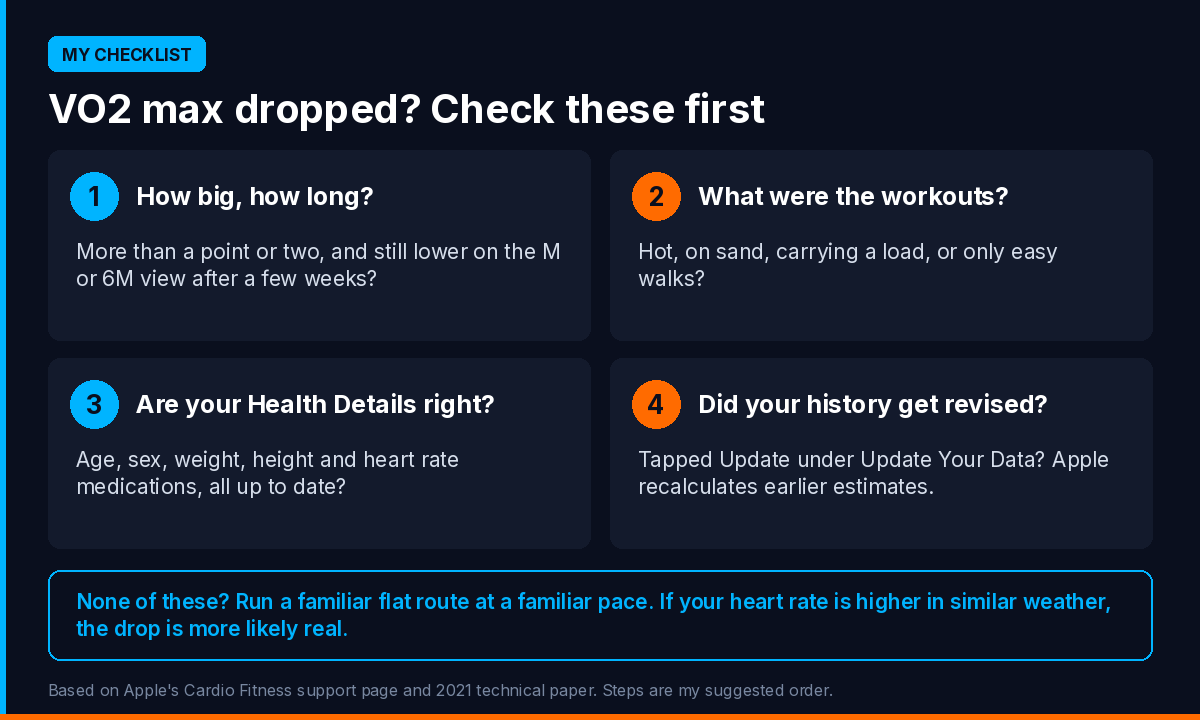
A falling VO2 max estimate is a question, not a verdict. Check the size of the drop, the workouts behind it, your Health Details and whether your history was revised. Then test it against something you control, like heart rate at a familiar pace. More often than not, I’d expect the cause to be the conditions, not the engine.
A VO2 max estimate means more next to the rest of your training. P247 reads the data your Apple Watch already puts into Apple Health, VO2 max included, plus Strava if you choose to connect it. Each morning there’s a daily brief with a recovery score built from your own trends using fixed rules, not AI, and each week a report for the bigger calls: what’s working, what’s holding you back, and what to change. If you want to talk a trend through, you can ask the AI coach.
P247 is available now on the App Store, with Android to follow in 2027. Download it here.
Sources: Apple, Track your cardio fitness levels (published 14 September 2026); Apple, Using Apple Watch to Estimate Cardio Fitness with VO2 max (May 2021); Apple, Monitor your heart health on Apple Watch; Apple, Health Details; Lambe R, O’Grady B, Baldwin M, Doherty C, Investigating the accuracy of Apple Watch VO2 max measurements: A validation study, PLOS One, 2025.
P247 is available now on the App Store. Connect Apple Health and get your first weekly performance report free.